just now

Liquidity Finder Ltd is incorporated in England and Wales, company number 10610740, registered address 167-169 Great Portland Street, Fifth Floor, London W1W 5PF, United Kingdom.
Published: just now
Trade Server runs a brokerage's daily work: accounts, orders, routing, margin, and reporting. What no interface can ship with is every question a desk will ask. A report built around how one desk defines exposure. Two sets of figures that no single screen shows together. The same check applied across a set of accounts. Requirements like these often lead to a development request, a manual export, or another specialist tool.
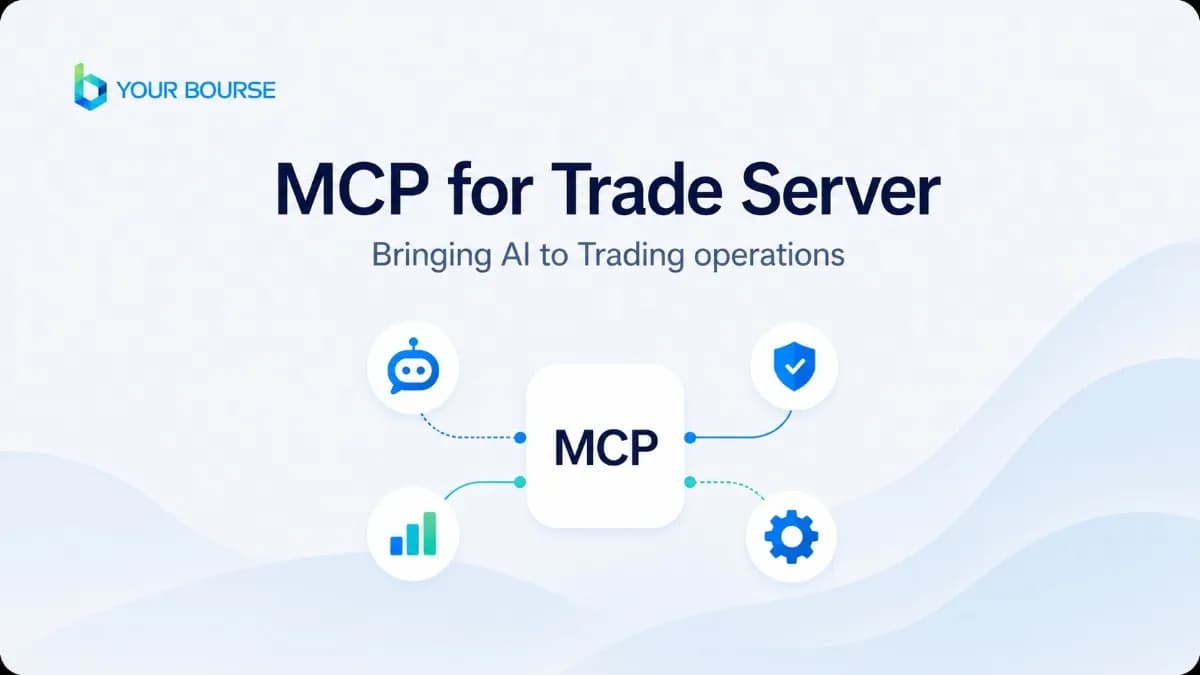
Your Bourse has released MCP for Trade Server to help brokers automate trading operations through natural-language interaction with the Trade Server backend. Brokers and prop firms can connect a compatible AI assistant of their choice to Your Bourse Trade Server and use natural-language instructions to query authorised data and initiate permitted actions. It is available now for brokers running Trade Server.
The connection is not limited to reading data. A risk manager can ask for total exposure on EURUSD or for every account in negative equity without requesting a separate report. Subject to the connected user's permissions, a dealer can initiate a hedge or close a position by instruction, while operations teams can complete authorised account and group actions in the same way. The assistant reads current Trade Server data at the time of the request.
How brokers can use MCP for Trade Server
Practical brokerage use cases
The connection uses the brokerage's existing Trade Server credentials and does not require a separate custom AI integration. Brokers can use their preferred LLM, like Claude or ChatGPT to connect, and MCP for Trade Server can run on the brokerage's own infrastructure.
Trade Server clients can also extend MCP-enabled access to their own trading clients, giving them a simpler route to connect API-driven tools, develop AI-powered trading strategies, and interact with the broker's trading infrastructure. The broker defines the access and permissions available to each client.
“MCP for Trade Server makes the Trade Server API easier to use in day-to-day operations. Instead of developing and testing a script for every request, teams can describe what they need in natural language and work directly with the Trade Server data and functions available to them,” said Valter Timanov, Chief Product Officer, Your Bourse.
Watch Valter Timanov, Chief Product Officer at Your Bourse, walk through MCP for Trade Server on YouTube and demonstrate how natural-language instructions can be used across real Trade Server workflows:
Book a Demo to see how MCP could work with your Trade Server setup: https://bit.ly/4qfMlpp
Your Bourse is the connectivity provider that offers a comprehensive Platform-as-a-Service solution for FX, CFD, and crypto liquidity management, data analytics, reporting, and risk management.
Select the categories and companies you wish to follow directly to your person rss feed.
Create Custom RSS FeedSign up and join over 5,000 professional members who receive personalized news alerts, curated professional connections, and more for free!
Hantec Group's prop firm brand Hantec Trader began operating as RZR Funded on 19 October.
Online investment platform Webull (NASDAQ: BULL) will offer perpetual futures to eligible US customers from November. The first contracts will be on Bitcoin and other crypto assets.
Market data and financial technology provider dxFeed has launched dxFeed ZeroDTE, a quantitative analytics solution for the zero-days-to-expiration (0DTE) options market.
US stock futures edged higher this morning after Wall Street rebounded on Monday, with the S&P 500 rising 0.4% and the Nasdaq Composite gaining over 1%, led by technology stocks such as Nvidia, Tesla, and Alphabet.
Gold is trading at $4,128. Following its recent high of $4,198, the precious metal has entered a clear downward move, with successive lower highs and lower lows.
Was the recent AI infrastructure sell-off a warning sign, or a market overreaction? As earnings season takes centre stage, investors are looking beyond market volatility to assess the strength of corporate spending, financial resilience and future growth. With major technology, semiconductor and defence companies set to report, this week's results could offer important clues about where market confidence stands. In this Weekly Outlook, we examine the key developments and earnings signals that could shape market sentiment. Read the full article for our latest analysis. BitDelta Securities Financial Services LLC, regulated by the Capital Market Authority under Category 5 (Introduction Only), acts solely as an introducer and does not provide trading, execution, dealing, advisory, portfolio management, or custody services. All trading, execution, and investment-related services are provided by BitDelta Limited, Mauritius, a licensed Investment Dealer. All trading and investments involve risk. The value of investments may fluctuate, and you may receive less than your initial investment.
Nasdaq 100 turns bearish after breaking weekly support. Watch 29,800–30,400 resistance for a potential rejection toward the 29,000 target.
Tradeweb Markets Inc. has agreed to acquire electronic credit trading platform Trumid Holdings, LLC for about $1.97 billion, combining credit protocols and extending its reach into new issue and grey market trading. The deal is targeted to close in the first half of 2027, subject to regulatory approvals.
The Cboe has launched pre-market and post-market trading sessions for select single stock and exchange-traded fund (ETF) options on its Cboe Options Exchange (C1). Trading began today with options on 24 single stocks and 5 ETFs.
GTCFX has appointed Charbel Raffoul as Chief Executive Officer. He joins from Equiti, where he was Chief Compliance Officer and Financial Crime, and has held roles at ADS Securities, Alpari ME and Swissquote. He will guide the firm’s strategic direction, governance and international business development.