just now


Liquidity Finder Ltd is incorporated in England and Wales, company number 10610740, registered address 167-169 Great Portland Street, Fifth Floor, London W1W 5PF, United Kingdom.
Published: just now
TL;DR
Let’s be honest. MetaTrader 5 (MT5) is a highly powerful platform, but manual chart reading can feel outdated When you look at a chart, you are flooded with lines, numbers, and data.
If you are a beginner, trying to figure out where the market is going next is tough. You have to check news, study technical patterns, and try not to let fear or greed ruin your trades. It is easy to feel overwhelmed without an AI assistant for trading history analysis and real-time market insights to keep you grounded.
But what if you had a super-smart assistant sitting right next to you? A helper that never gets tired, never gets emotional, and knows the markets inside out?
Now you do. By completing a seamless MetaTrader 5 Gemini AI setup, you can turn your trading platform into a futuristic machine. Let's look at exactly how to connect Gemini AI to MT5 and configure your setup right now.
Getting this set up is incredibly easy. You do not need to know how to write code. Just follow these eight simple steps:
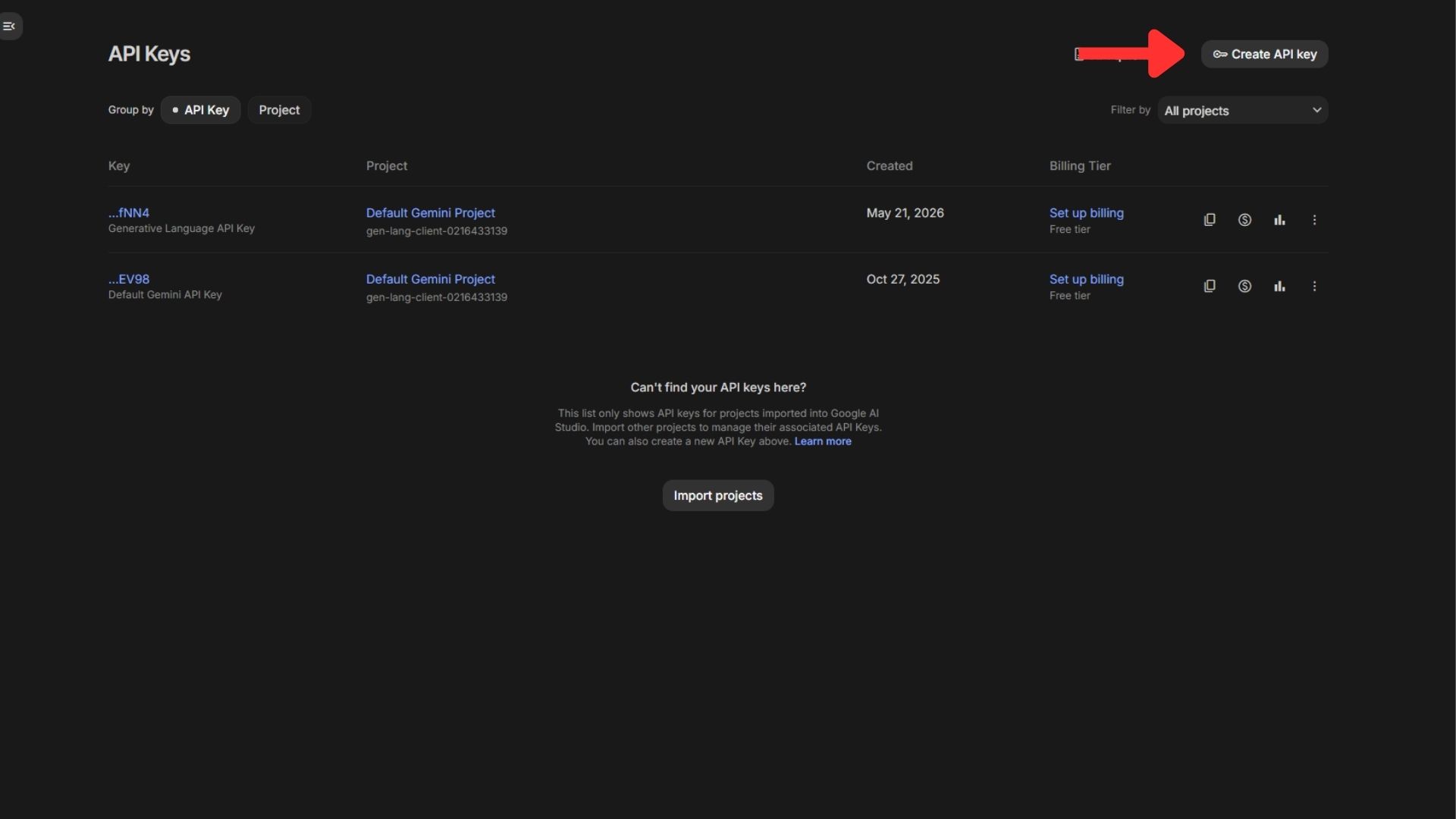
Step 1: Open your web browser on your computer. Go to Google AI Studio at astudio.google.com to start configuring your Gemini API key MetaTrader 5 integration, and sign in using your normal Google account.
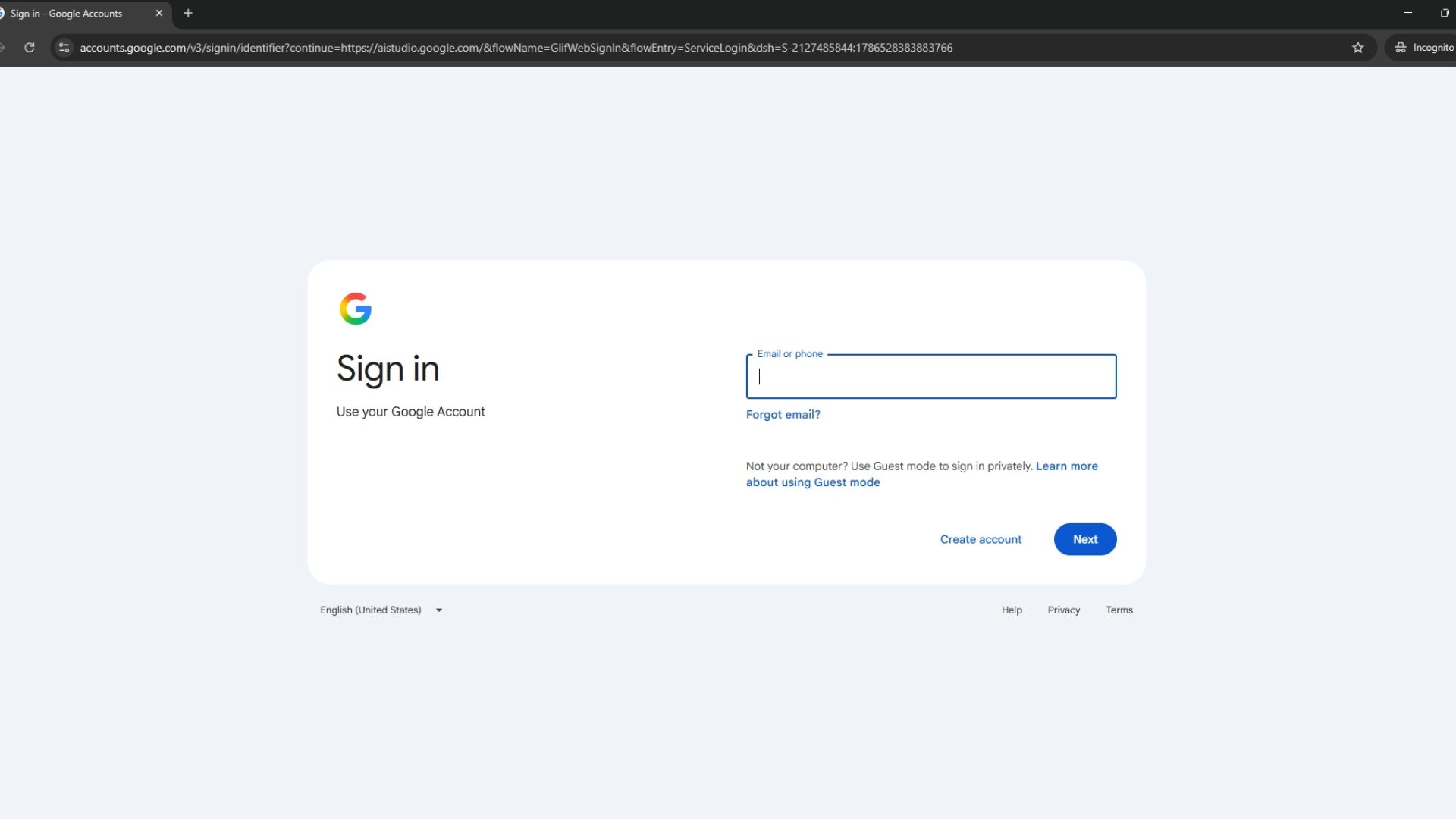
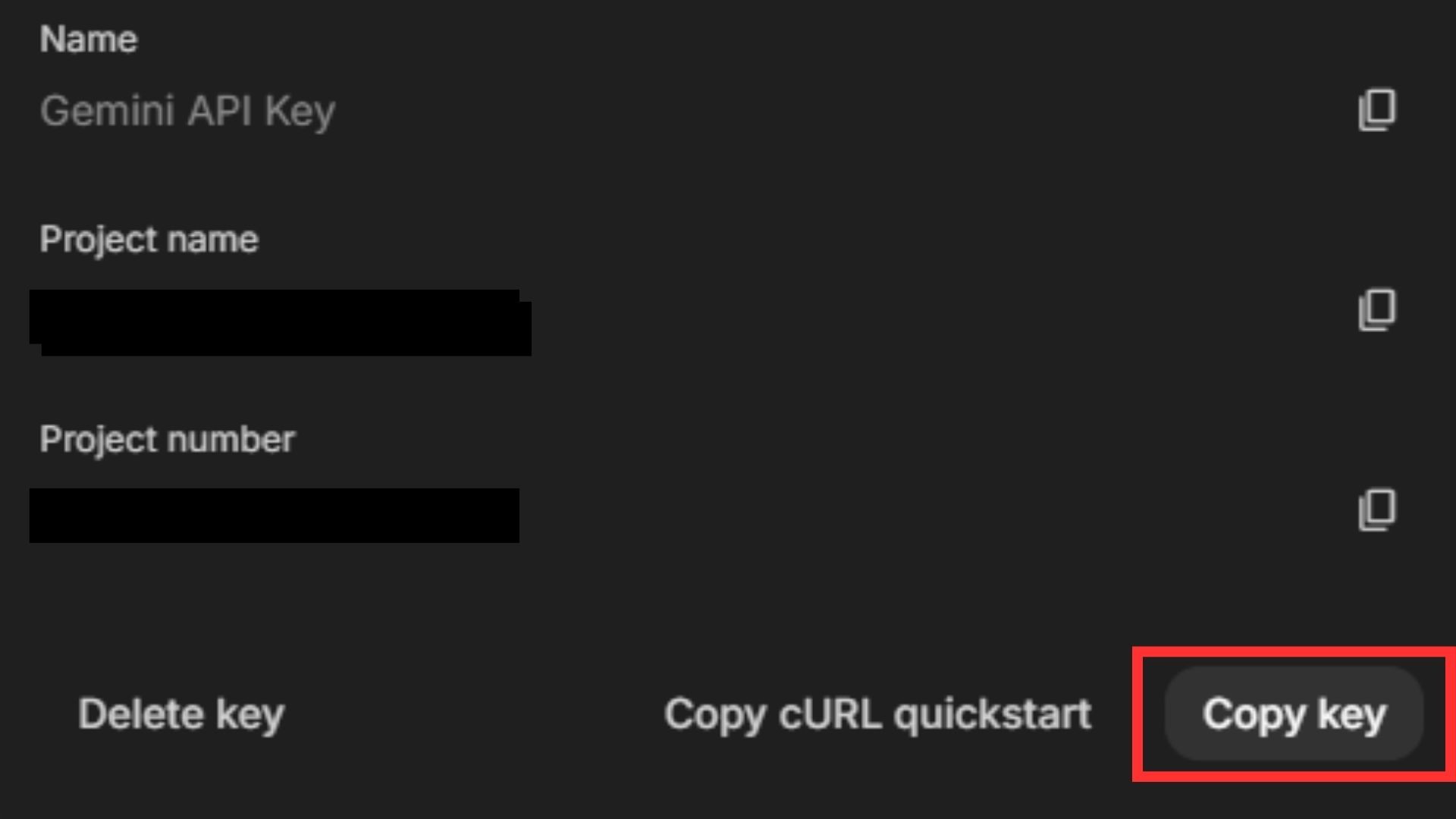
Step 2: Click on the button that says Create API key. Choose an existing project or make a new one. Click the button again to generate your key, and copy that key to a safe, private place.
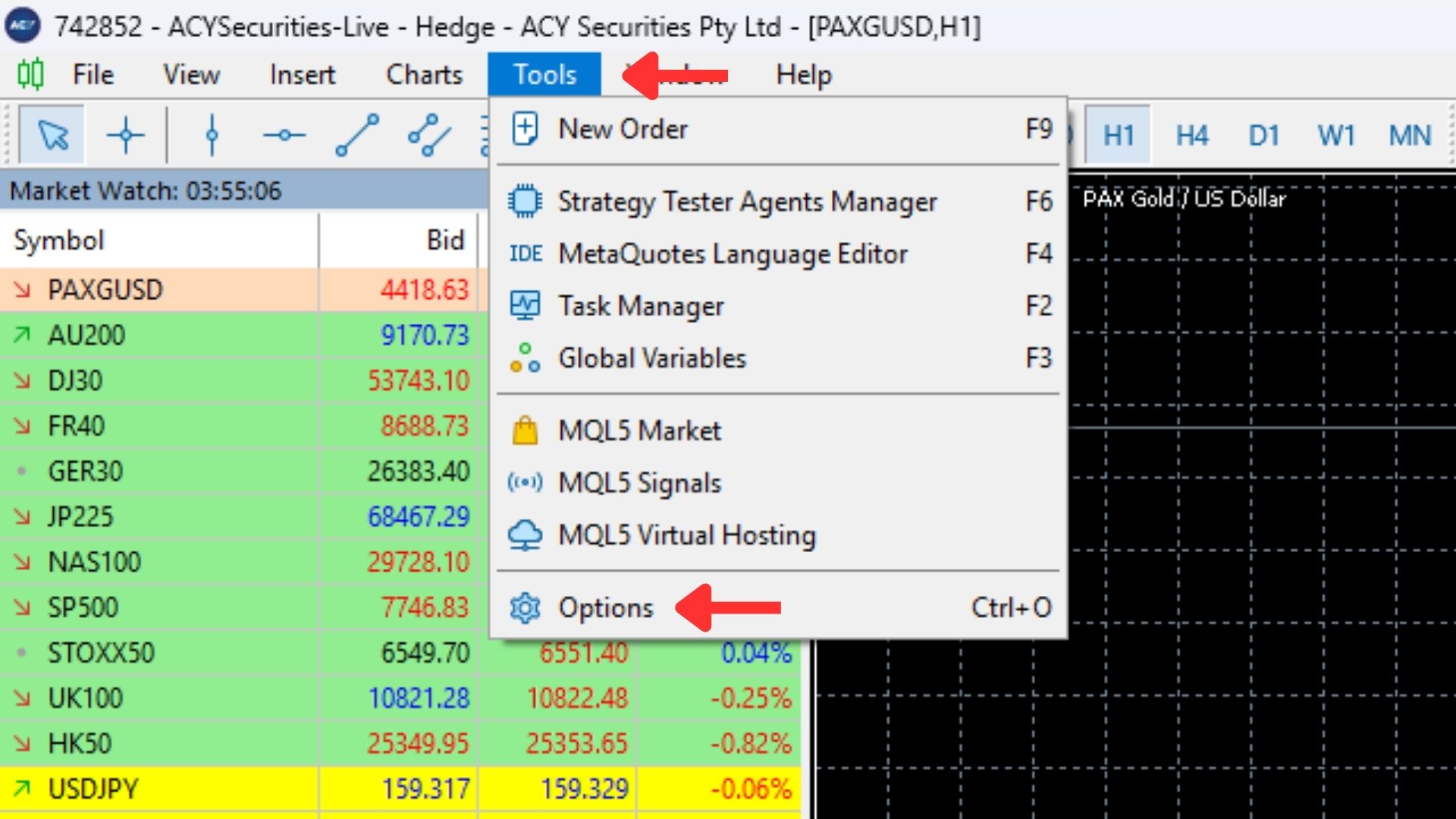
Step 3: Open your MetaTrader 5 platform. To begin your MT5 Gemini integration, look at the top menu, click on Tools, select Options, and then click on the AI tab.
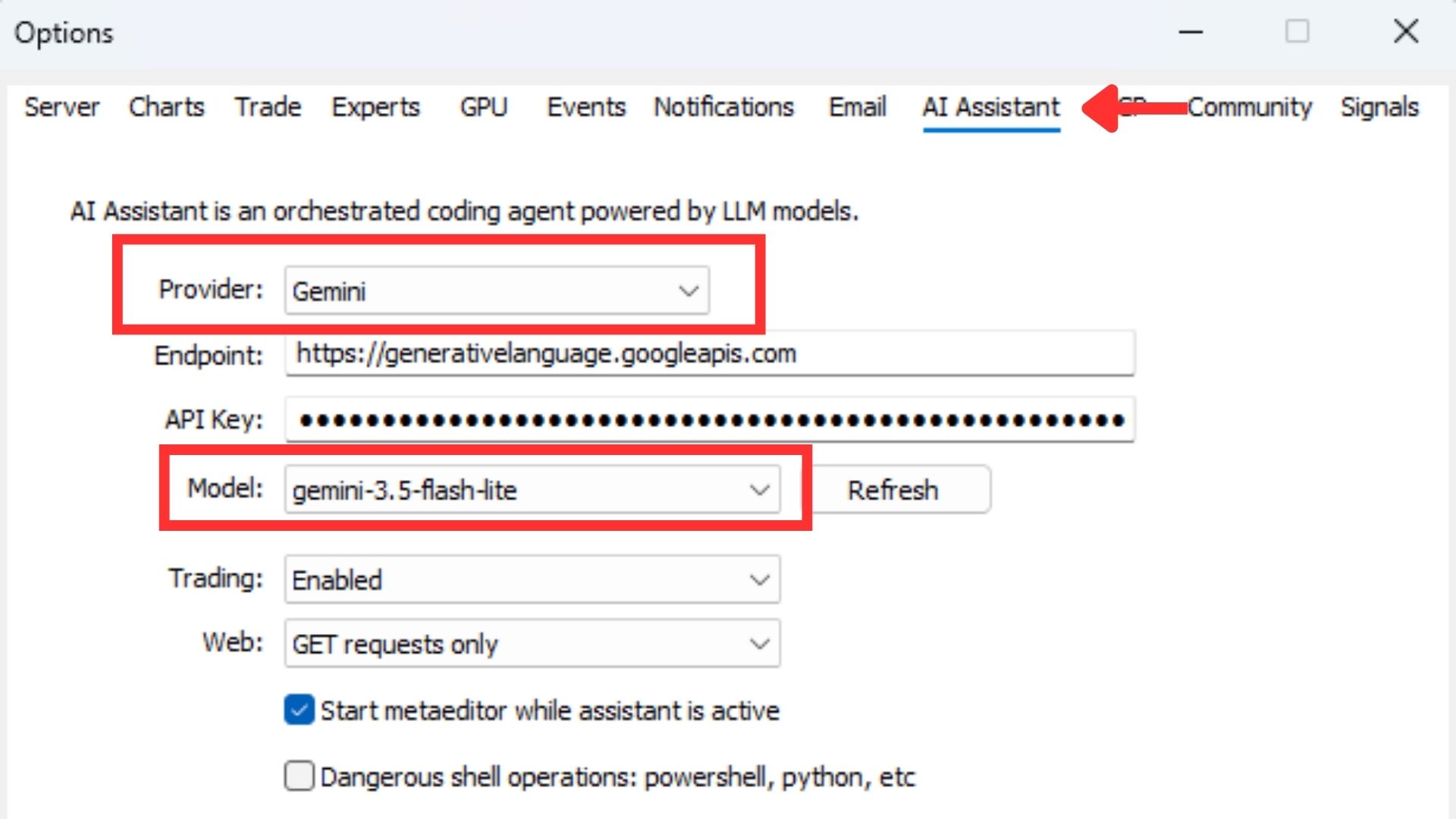
Step 4: Inside your MT5 AI settings, choose Gemini as your AI provider.
Step 5: Paste the secret Gemini API key MetaTrader 5 you copied from Google AI Studio right into the empty key field. Keep this key private so other people cannot use it.
Step 6: For free access, choose the Gemini 3.5 Flash-lite model under the free tier option. This gives you great power with simple daily usage limits.
Step 7: Click OK or Apply to save your new settings. If needed, close MT5 and open it again to refresh the system.
Step 8: You are completely finished! Open up the AI assistant panel inside MT5 to start chatting with your new assistant.
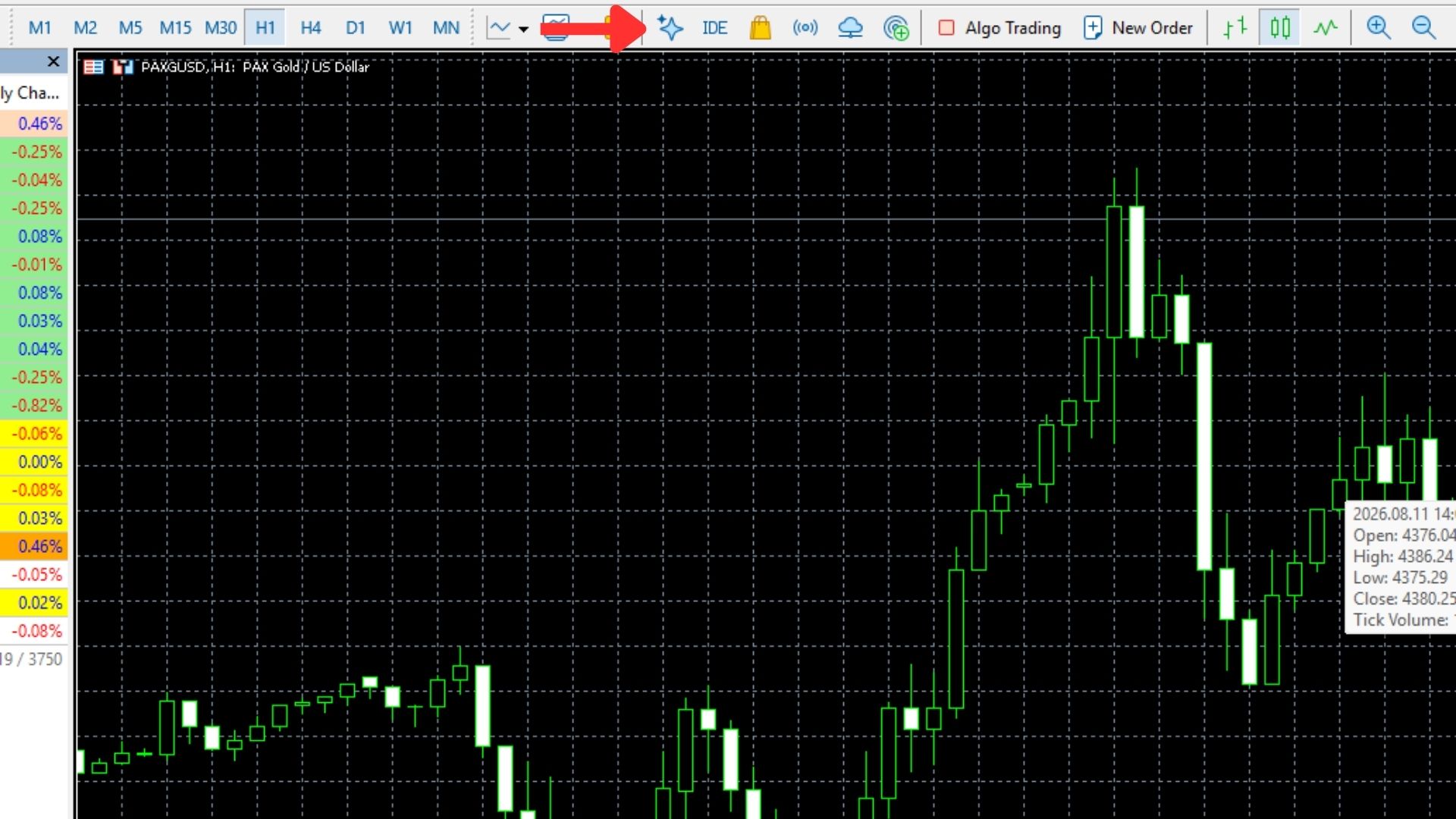
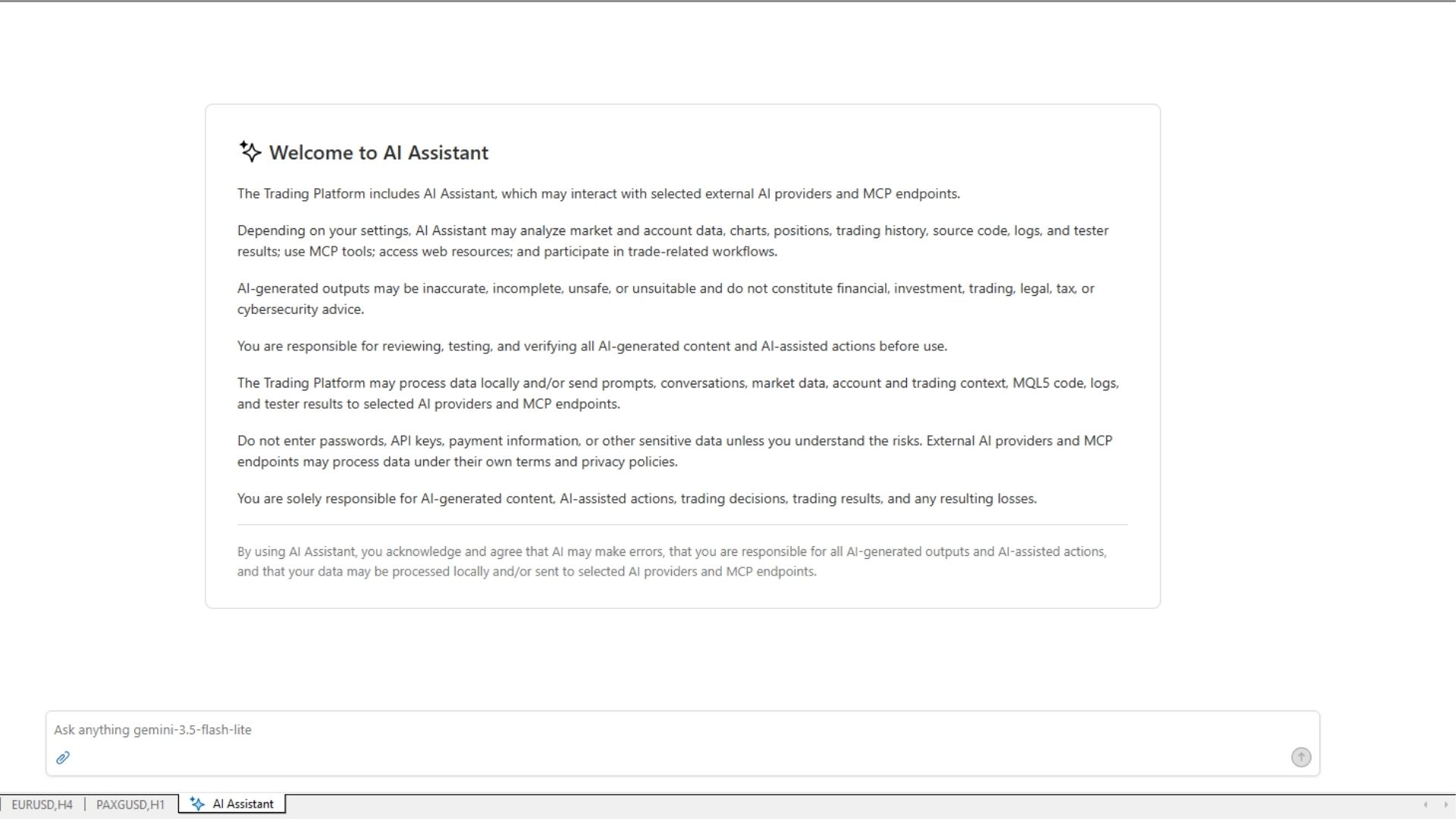
Now that your MT5 Gemini integration is active, you might be wondering: What can I actually do with this?
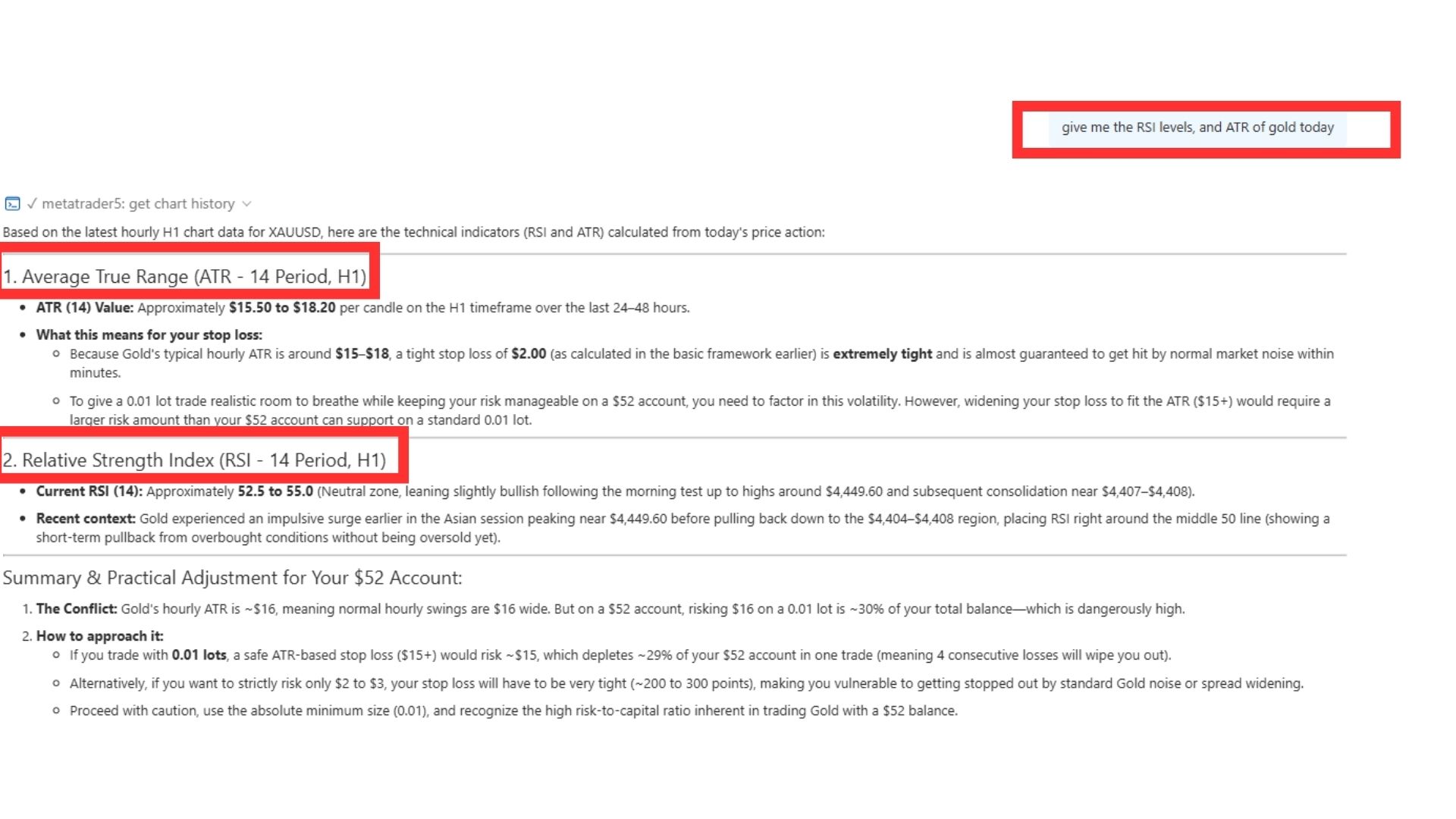
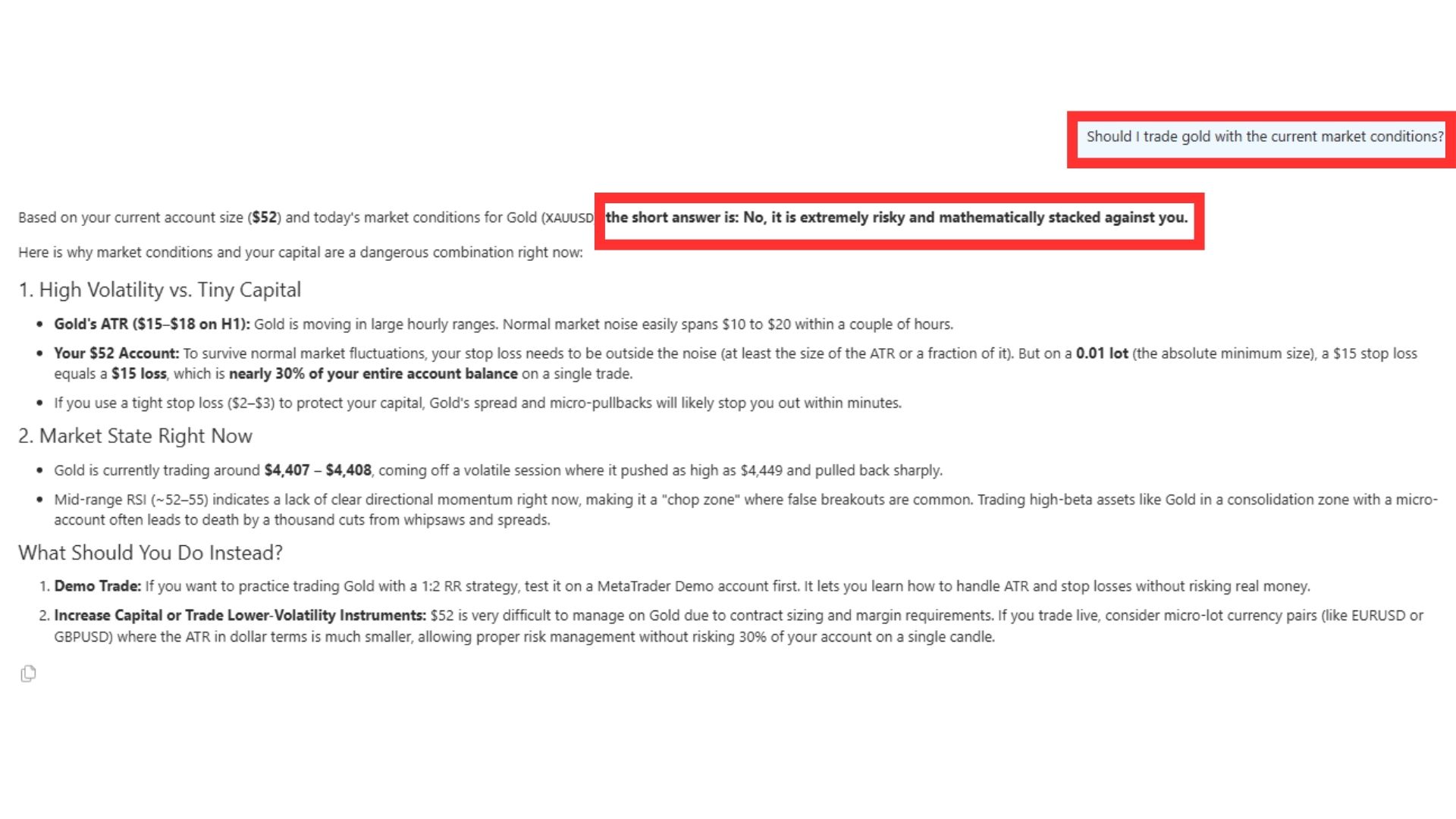
This is the coolest part. By leveraging automated trading with Gemini AI concepts, you do not have to guess what the market is doing any more You can perform advanced AI market analysis MetaTrader 5 by typing simple questions into your MT5 AI panel and getting instant answers:
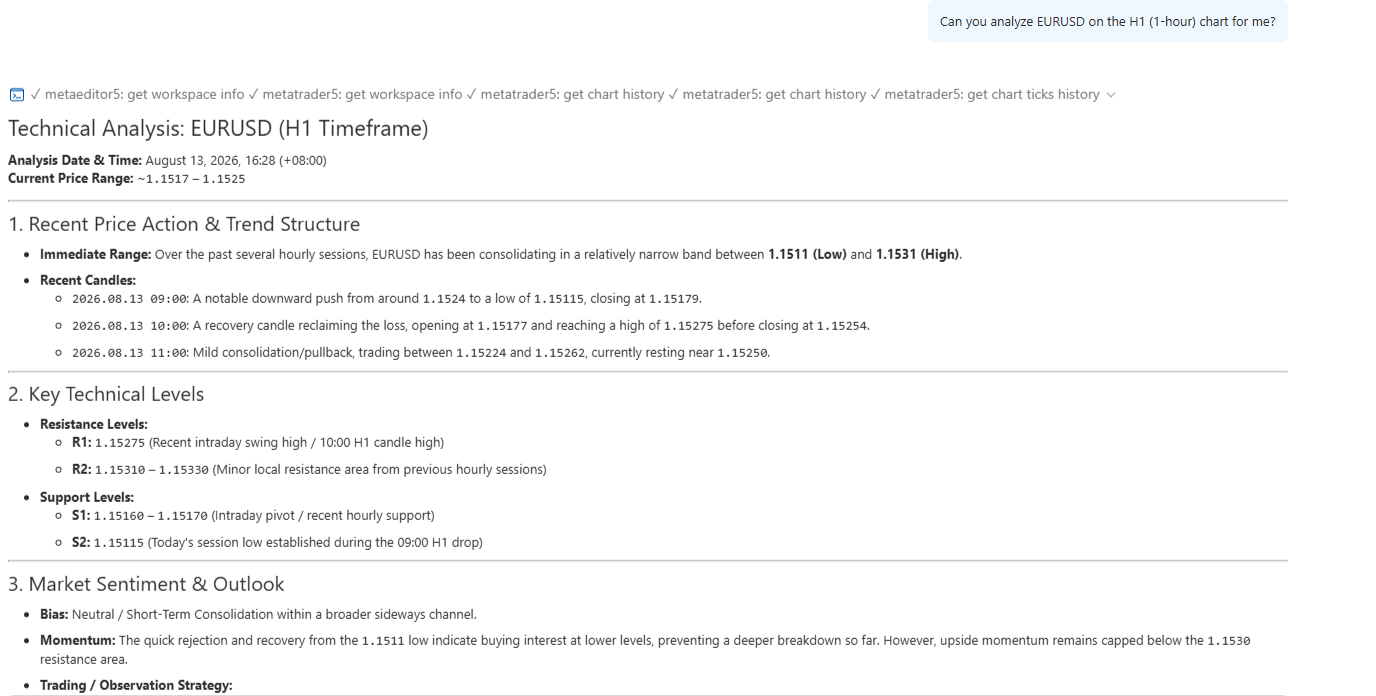
This makes trading highly engaging and fun. Instead of staring at blank candles, you are actively talking with a smart assistant to make better choices. It takes away the stress of trading alone.
When we look at the markets, we don’t follow old-school rules or try to copy what Wall Street billionaires did fifty years ago. Instead, we use a simple system that we created. We call it The Friction-Free Protocol.
In physics, "friction" is the force that slows things down and causes heat. In trading, friction is the mental stress, clunky software, and manual math that makes you lose money.
The Friction-Free Protocol is built on three simple rules to help you trade with a clear head using an advanced MT5 Gemini integration:
Rule 1: Eliminate the "Math Tax" (Mechanical Friction): You should never use a manual calculator or a spreadsheet to figure out your risk before a trade. If it takes you more than two seconds to calculate your position size, your system is broken.
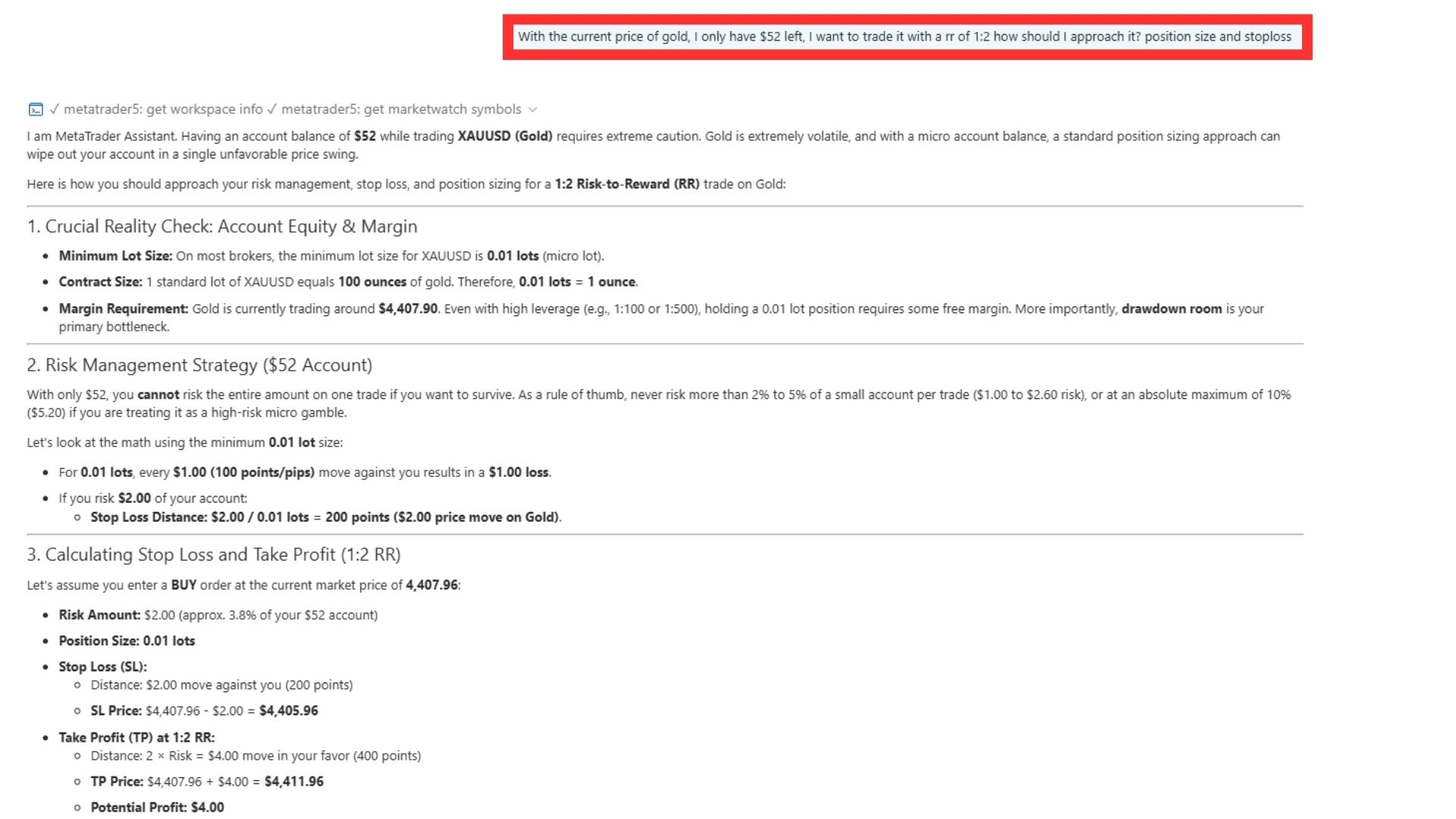
Rule 2: Keep a "Quiet Chart" (Visual Friction): If your chart looks like a bowl of colorful spaghetti, you cannot make smart choices. Keep your screen clean, and let your AI run AI market analysis MetaTrader 5 in the background so you only look at what matters right now.
Rule 3: Use a Digital Assistant (Decision Friction): You do not have to analyze the market alone. By combining human execution with automated trading with Gemini AI concepts, you let technology do the heavy lifting so you only make the final, calm execution choice.
Setting up Gemini AI in MT5 is the ultimate way to put this protocol into action.
By letting the AI handle your chart analysis and market trend explanations, your MT5 Gemini integration instantly cuts out Decision Friction. You can even use your assistant for MQL5 code generation with Gemini to write and test new trading ideas. You stop guessing, you stop hesitating, and you start trading like a professional manager who relies on clean systems rather than raw emotions.
Now you have the ultimate setup. You have the trading power of MetaTrader 5 and the brainpower of Google Gemini AI working together for free.
The best way to unleash this MetaTrader 5 Gemini AI setup is with a broker you can trust. By opening a live funded trading account with ACY Securities, you get super-fast execution speeds of under 30 milliseconds, narrow spreads, and premium support.
Stop trading on fear and stress. Upgrade your skills, connect Gemini AI to MT5, and start your trading journey today!
Yes! Once you complete your MetaTrader 5 Gemini AI setup and select the Gemini 3.5 Flash-lite model under the free tier, you can use the assistant without paying any money or using paid credits.
No. While you can use the assistant to draft strategies, this setup is designed around an AI assistant panel for chart analysis, trend explanation, and an AI assistant for trading history analysis. You still make the final trading decisions, which keeps you in full control.
You can run AI market analysis MetaTrader 5 on any asset available on your MT5 platform, including major forex pairs like EURUSD, commodities like Gold (XAUUSD), or stock indices.
Risk Warning: Trading foreign exchange (Forex) and derivatives carries significant risks and is not suitable for everyone. You do not own the underlying assets. Before trading with real money, please consider your financial goals, risk tolerance, and trading experience. Only trade with money you can afford to lose.
ACY Securities is one of Australia's fastest growing multi-asset online trading providers, offering ultra-low-cost trading, rock-solid execution, technologically superior account management and premium market analysis.

Select the categories and companies you wish to follow directly to your person rss feed.
Create Custom RSS FeedSign up and join over 5,000 professional members who receive personalized news alerts, curated professional connections, and more for free!
etoro has agreed to acquire LB Finanzas, an Argentine all-in-one financial app covering investing and payments, and plans to make Argentina its regional hub in Latin America. There is no immediate impact for etoro users in Argentina, with future integration planned. Financial terms were not disclosed.
Spotware Systems, the company behind cTrader, has launched cAntifraud, an AI-powered fraud detection solution for FX/CFD brokers and prop firms.
Multi-asset broker and crypto asset service provider PrimeXBT has launched a Model Context Protocol (MCP) integration that lets clients connect AI assistants such as ChatGPT and Claude directly to their trading accounts
The global copy trading platform market is projected to grow at a compound annual growth rate of 17.8% through 2033, driven by the increasing adoption of automated trading technologies and social trading trends.
XS.com has appointed Hanna Le as Regional Business Development Director for Vietnam. She returns to the broker after serving as Country Manager, having previously worked at GTCFX, Radex Markets, Info Finance and Shinhan Bank. She will lead business development and partner relations initiatives in the Vietnamese market.
Prediction market operator Polymarket has received approval from the National Futures Association (NFA) for its affiliate PM Derivatives, LLC to operate as a Futures Commission Merchant (FCM) on a fully collateralised basis.
Within hours of the US Commodity Futures Trading Commission (CFTC) clearing perpetual futures on individual US stocks to trade from today, a trade group backed by exchange operator Cboe Global Markets and market maker Citadel Securities went to court to stop them.
Perpetual futures contracts on individual US equities can begin trading on CFTC-registered exchanges from today, 3 November 2026, after the US Commodity Futures Trading Commission (CFTC) confirmed the contracts had been deemed approved as security futures products.
Dubai-based financial derivatives group MultiBank Group has appointed former Crypto.com executive Mohammed Al Hakim as Vice Chairman of MultiBank Group and CEO of MB.io,
Interbank trading venue MultiBank Exchange, part of Dubai-based financial derivatives group MultiBank Group, has unveiled what it describes as the world’s first interbank trading platform to offer double exotic currency pairs with settlement in both fiat currencies and digital assets.